
Arduino Nano 33 Sense Rev2- IMU sensor
What is the IMU sensor?
IMU stands for: inertial measurement unit. It is an electronic device that measures and reports a body's specific force, angular rate and the orientation of the body, using a combination of accelerometers, gyroscopes, and oftentimes magnetometers. Know more.
Library
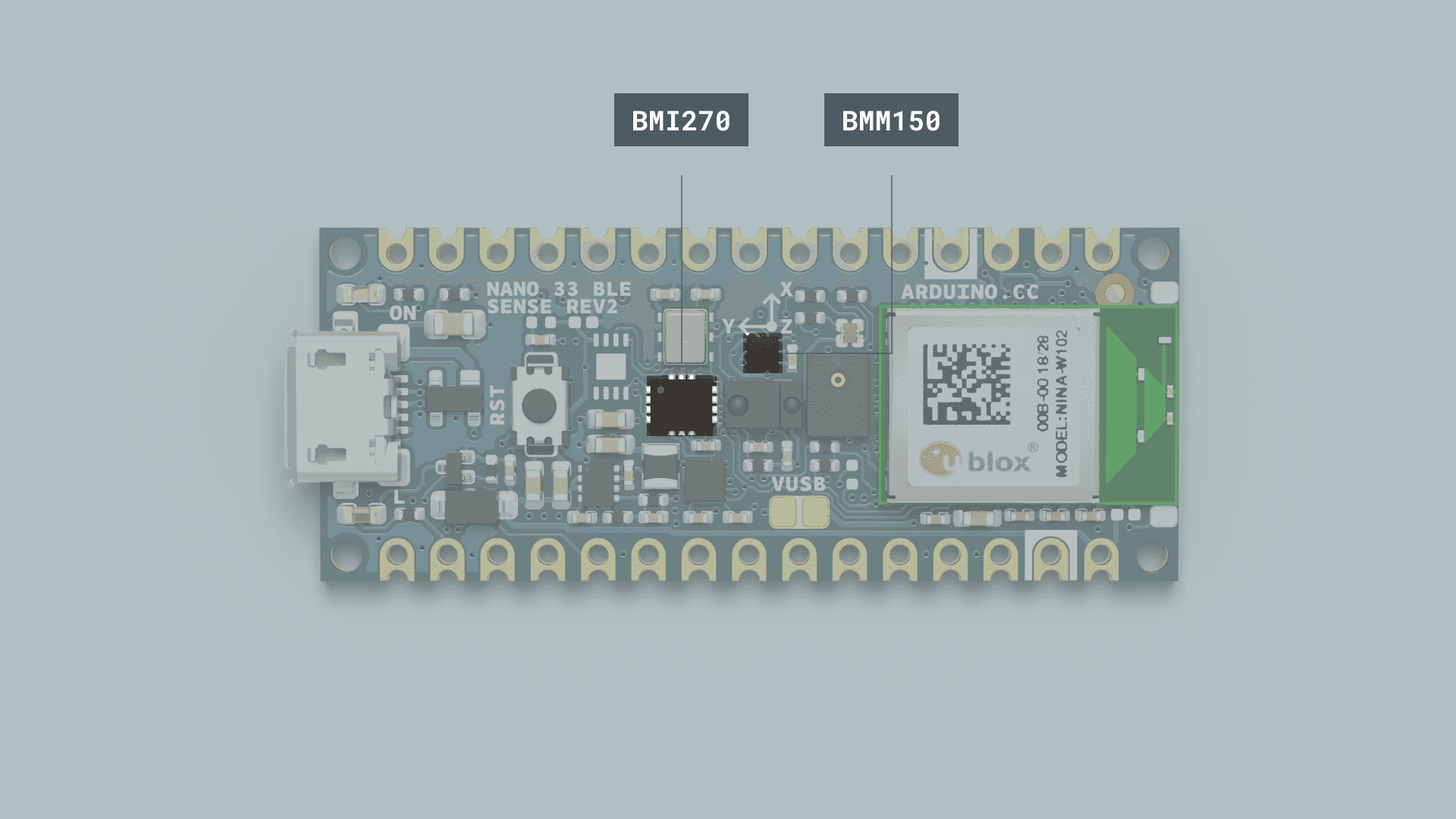
oThe IMU system on the Arduino Nano 33 BLE Sense Rev2 is a combination of two modules, the 6-axis BMI270, and the 3-axis BMM15.
To use the IMU (inertial measurement unit) in Nano 33 BLE Rev2 and Nano 33 BLE Sense Rev2, you need to use the Arduino_BMI270_BMM150 library instead of Arduino_LSM9DS1 which is used in all example code.
Replace #include <Arduino_LSM9DS1.h> with #include <Arduino_BMI270_BMM150.h> in all existing codes if you are using Rev2 boards.
For more information about libraries for NANO 33 SENSE REV2, please visit here.
Getting started
This code is modified from the library example code SH1106_128x64_SPi_QTPY.
#include "Arduino_BMI270_BMM150.h"

float x, y, z;
int degreesX = 0;
int degreesY = 0;

void setup() {
  Serial.begin(9600);
  while (!Serial);
  Serial.println("Started");

  if (!IMU.begin()) {
    Serial.println("Failed to initialize IMU!");
    while (1);
  }

  Serial.print("Accelerometer sample rate = ");
  Serial.print(IMU.accelerationSampleRate());
  Serial.println(" Hz");
}

void loop() {
  float x, y, z;

  if (IMU.accelerationAvailable()) {
    IMU.readAcceleration(x, y, z);

if(x > 0.1){
    x = 100*x;
    degreesX = map(x, 0, 97, 0, 90);
    Serial.print("Tilting up ");
    Serial.print(degreesX);
    Serial.println("  degrees");
    }
  if(x < -0.1){
    x = 100*x;
    degreesX = map(x, 0, -100, 0, 90);
    Serial.print("Tilting down ");
    Serial.print(degreesX);
    Serial.println("  degrees");
    }
  if(y > 0.1){
    y = 100*y;
    degreesY = map(y, 0, 97, 0, 90);
    Serial.print("Tilting left ");
    Serial.print(degreesY);
    Serial.println("  degrees");
    }
  if(y < -0.1){
    y = 100*y;
    degreesY = map(y, 0, -100, 0, 90);
    Serial.print("Tilting right ");
    Serial.print(degreesY);
    Serial.println("  degrees");
    }
  }
}