
Arduino Nano 33 Sense Rev2
What is the IMU sensor?
IMU stands for: inertial measurement unit. It is an electronic device that measures and reports a body's specific force, angular rate and the orientation of the body, using a combination of accelerometers, gyroscopes, and oftentimes magnetometers. Know more.
Library
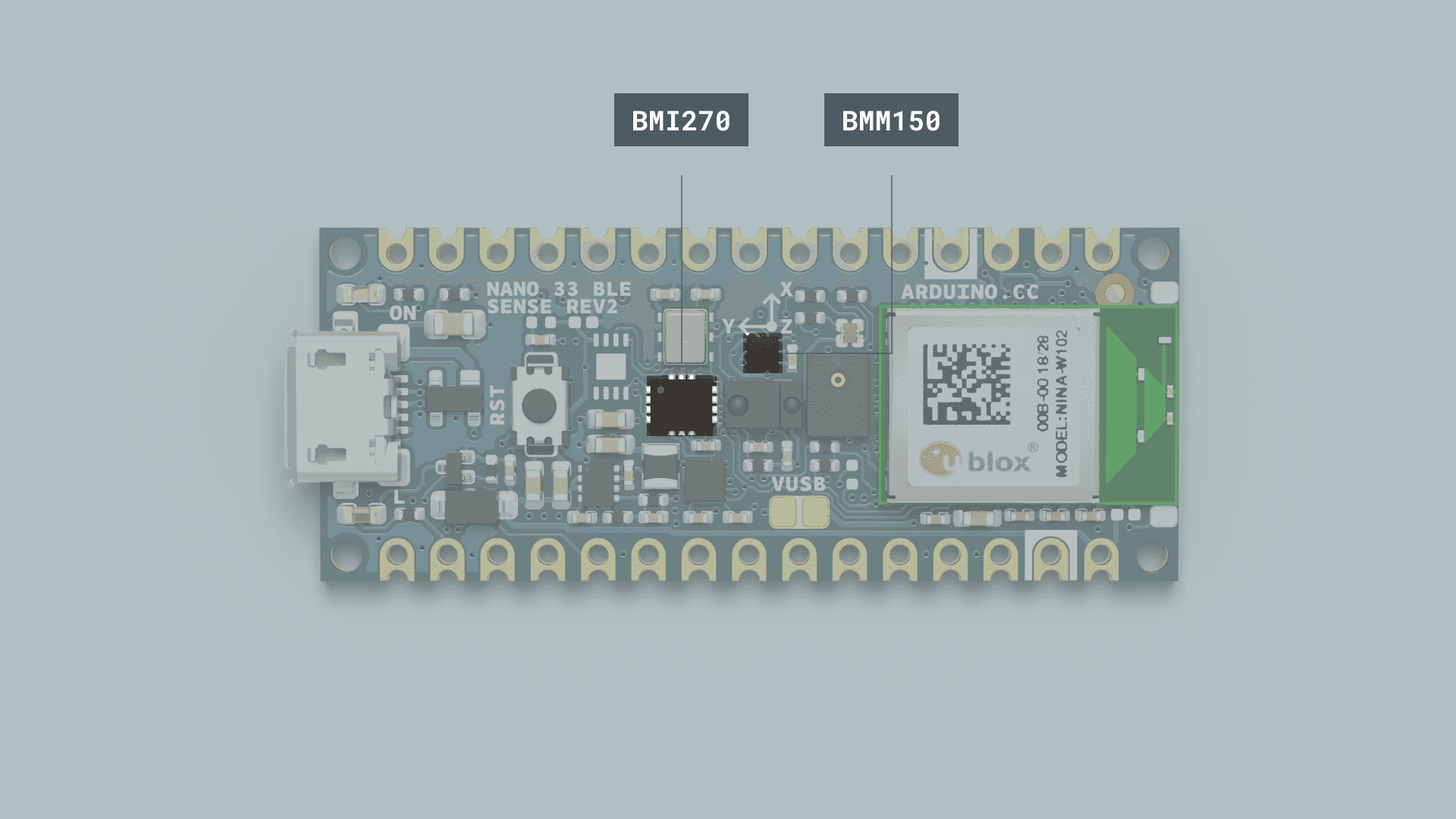
The IMU system on the Arduino Nano 33 BLE Sense Rev2 is a combination of two modules, the 6-axis BMI270, and the 3-axis BMM15.
To use the IMU (inertial measurement unit) in Nano 33 BLE Rev2 and Nano 33 BLE Sense Rev2, you need to use the Arduino_BMI270_BMM150 library instead of Arduino_LSM9DS1 which is used in all example code.
Replace #include <Arduino_LSM9DS1.h> with #include <Arduino_BMI270_BMM150.h> in all existing codes if you are using Rev2 boards.
For more information about libraries for NANO 33 SENSE REV2, please visit here.
Getting started - Accelerometers & Gyroscopes
To detect rotations and speed.
#include "Arduino_BMI270_BMM150.h"

float x, y, z;
int degreesX = 0;
int degreesY = 0;

void setup() {
  Serial.begin(9600);
  while (!Serial);
  Serial.println("Started");

  if (!IMU.begin()) {
    Serial.println("Failed to initialize IMU!");
    while (1);
  }

  Serial.print("Accelerometer sample rate = ");
  Serial.print(IMU.accelerationSampleRate());
  Serial.println(" Hz");
}

void loop() {
  float x, y, z;

  if (IMU.accelerationAvailable()) {
    IMU.readAcceleration(x, y, z);

if(x > 0.1){
    x = 100*x;
    degreesX = map(x, 0, 97, 0, 90);
    Serial.print("Tilting up ");
    Serial.print(degreesX);
    Serial.println("  degrees");
    }
  if(x < -0.1){
    x = 100*x;
    degreesX = map(x, 0, -100, 0, 90);
    Serial.print("Tilting down ");
    Serial.print(degreesX);
    Serial.println("  degrees");
    }
  if(y > 0.1){
    y = 100*y;
    degreesY = map(y, 0, 97, 0, 90);
    Serial.print("Tilting left ");
    Serial.print(degreesY);
    Serial.println("  degrees");
    }
  if(y < -0.1){
    y = 100*y;
    degreesY = map(y, 0, -100, 0, 90);
    Serial.print("Tilting right ");
    Serial.print(degreesY);
    Serial.println("  degrees");
    }
  }
}
Getting started - Magnetometer
To detect magnetic fields.
#include "Arduino_BMI270_BMM150.h"
float x,y,z, ledvalue;

void setup() {
  if (!IMU.begin()) {
    Serial.println("Failed to initialize IMU!");
    while (1);
  }
}

void loop() {

  // read magnetic field in all three directions
  IMU.readMagneticField(x, y, z);

  if(x < 0)
  {
    ledvalue = -(x);
  }
  else{
    ledvalue = x;
  }

  analogWrite(LED_BUILTIN, ledvalue);
  delay(500);
}