
Arduino Nano 33 Sense Rev2
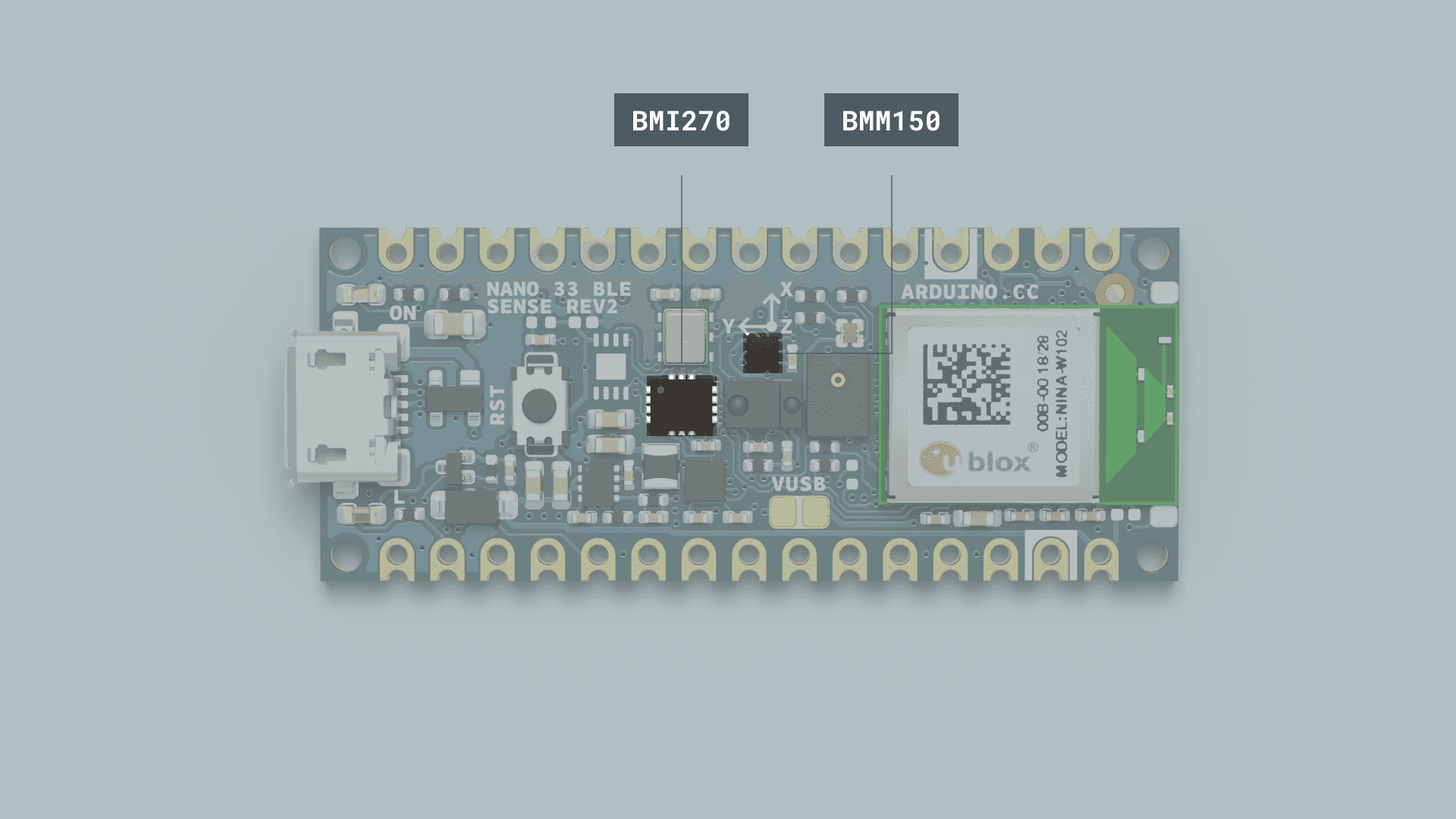
What is theArduino IMUNano sensor?
33 IMUSense stands for: inertial measurement unit. It is an electronic device that measures and reports a body's specific force, angular rate and the orientation of the body, using a combination of accelerometers, gyroscopes, and oftentimes magnetometers. Know more.
LibraryRev2?
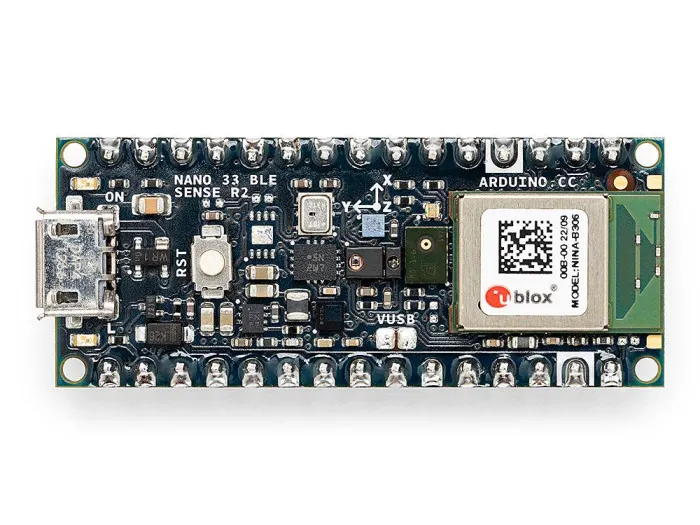
The IMU system on the Arduino Nano 33 BLE Sense Rev2 (often called Nano 33 Sense Rev2) is a combinationcompact, oflow-power twoIoT modules,and sensor-rich development board designed for machine learning, audio processing, motion detection, and environmental sensing.
It’s the 6-axissuccessor BMI270, andto the 3-axisoriginal BMM15.
To use the IMU (inertial measurement unit) in Nano 33 BLE Rev2Sense, improving performance, accuracy, and sensor reliability. Know more.
Rev1 vs Rev2
| Component | Rev1 | Rev2 |
|---|---|---|
| IMU | LSM9DS1 (9-axis) | BMI270 (6-axis) + BMM150 (3-axis) |
| Temp & Humidity Sensor | HTS221 | HS3003 |
| Microphone | MP34DT05 | MP34DT06JTR |
| Power Regulator | MPM3610 | MP2322 |
| VUSB Jumper | No | Yes |
| USB / SWD Test Points | No | Yes |
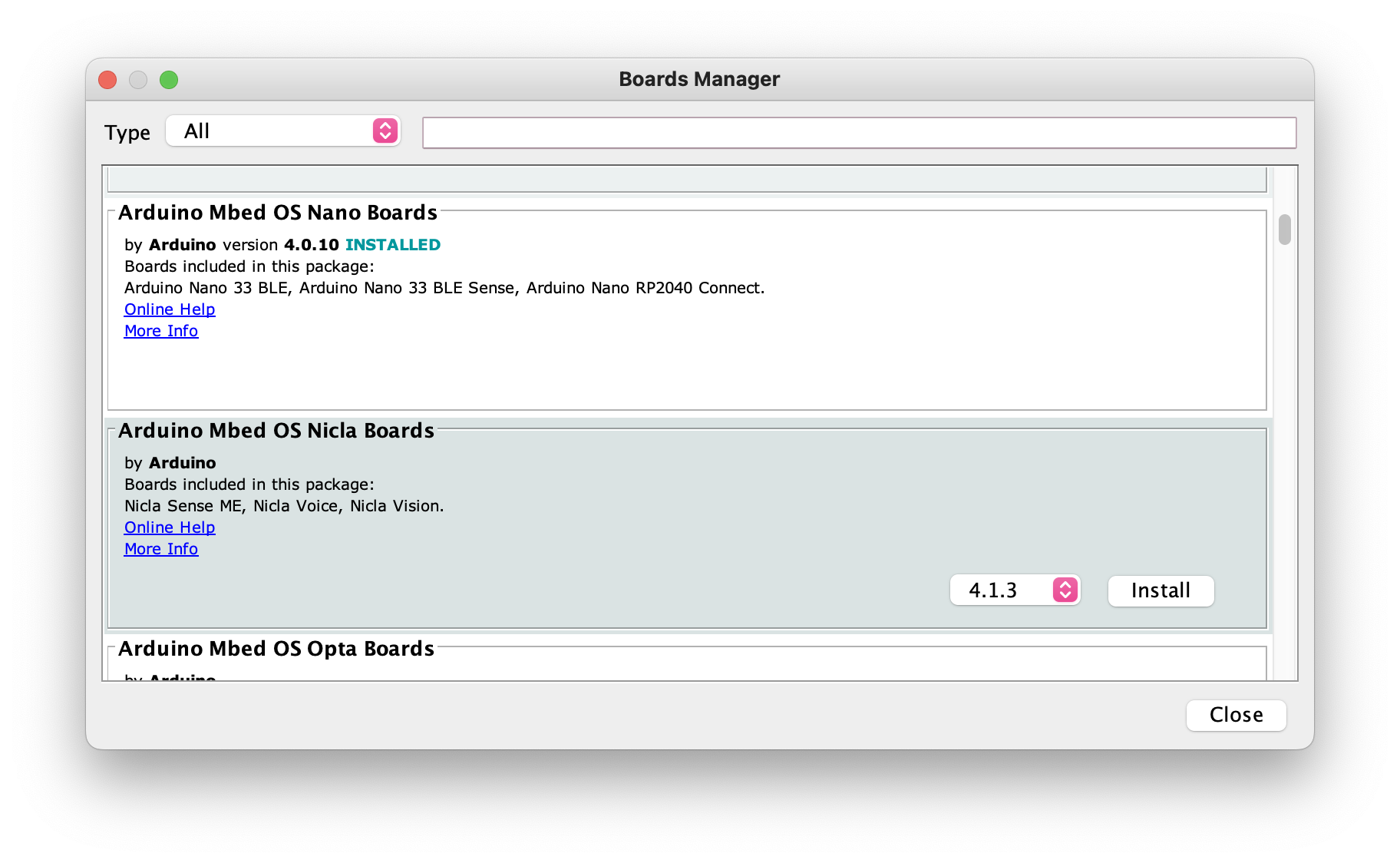
Install board packages
- Go to
Tools-Board-Board Management - Search for
Arduino Mbed OS Nano Boards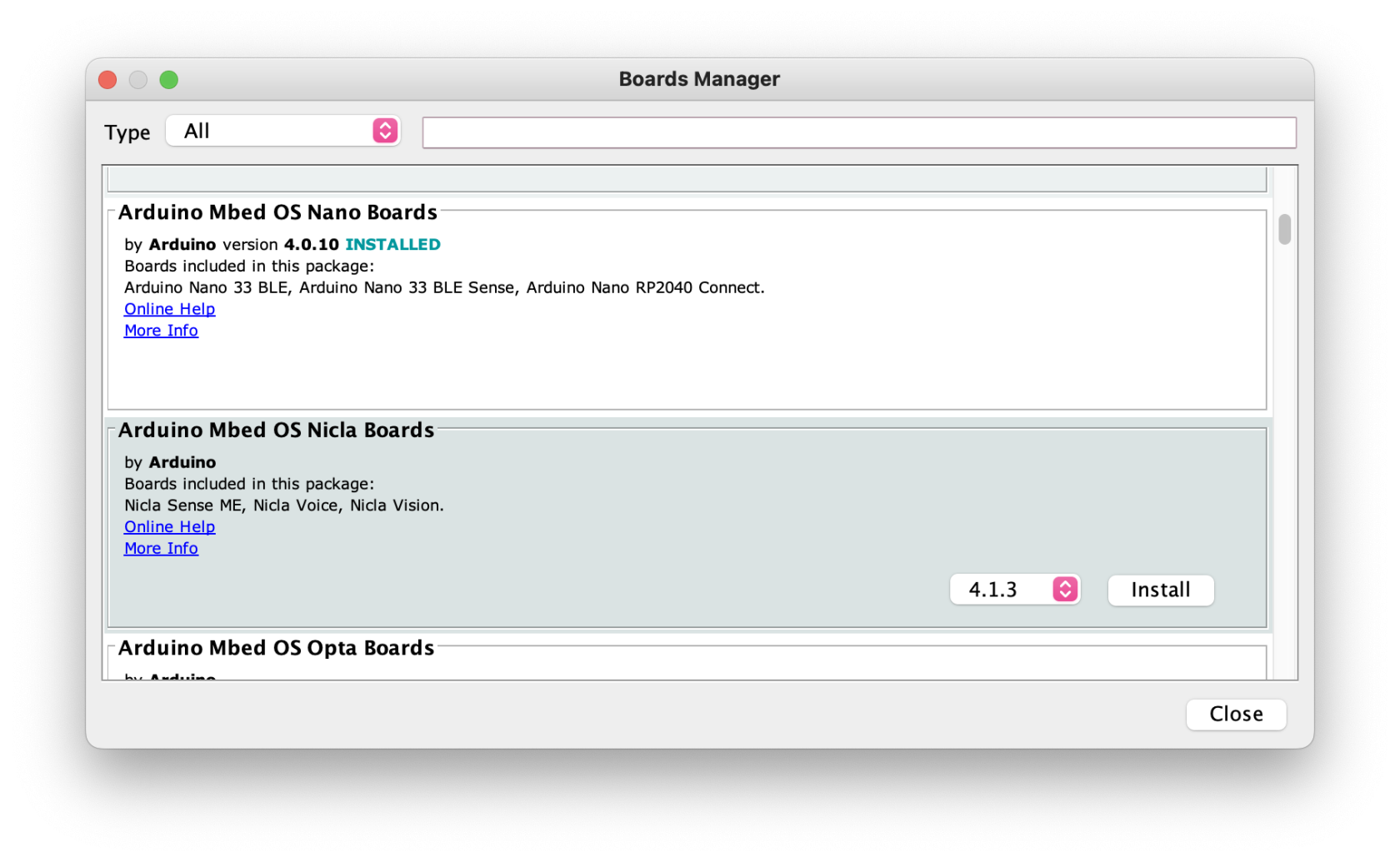
- Choose and install the latest version
- It may take a few minutes.
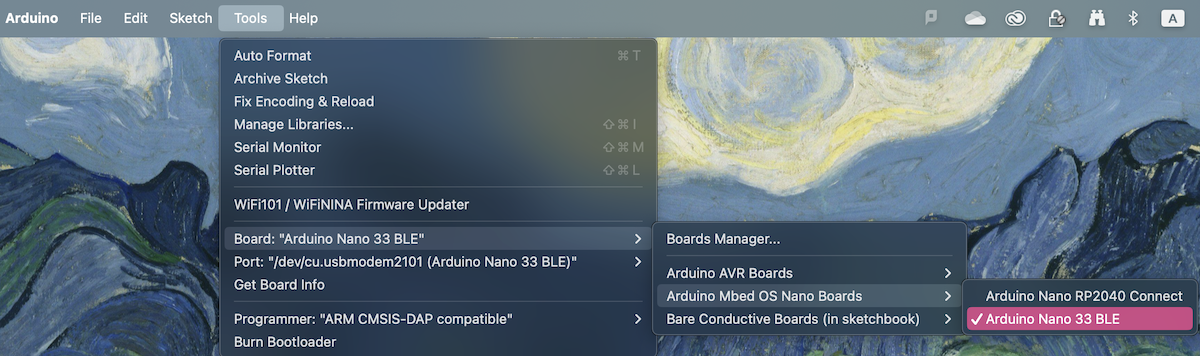
- When it's done, you should be able to choose
Arduino Nano 33 BLE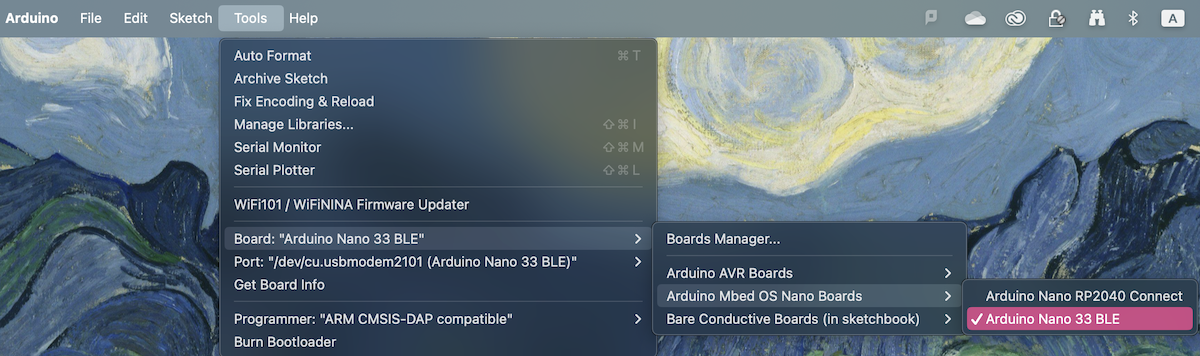
Library Changes from Rev1 to useRev2
| Sensor |
Rev1 |
Rev2 |
|---|---|---|
| IMU |
LSM9DS1 | Arduino_BMI270_BMM150 |
| Temperature & |
Arduino_HTS221 | Arduino_HS300x |
| Microphone ( |
MP34DT05 ( |
MP34DT06JTR ( |
Getting started - Magnetometer
To detect magnetic fields.
#include "Arduino_BMI270_BMM150.h"
float x,y,z, ledvalue;

void setup() {
  if (!IMU.begin()) {
    Serial.println("Failed to initialize IMU!");
    while (1);
  }
}

void loop() {

  // read magnetic field in all three directions
  IMU.readMagneticField(x, y, z);

  if(x < 0)
  {
    ledvalue = -(x);
  }
  else{
    ledvalue = x;
  }

  analogWrite(LED_BUILTIN, ledvalue);
  delay(500);
}