
How to make a vibration sensor with Piezo Transducer
What is the Serialpiezo Communication?transducer?
SerialA communicationpiezoelectric transducer (or piezo transducer) is a device that uses the processpiezoelectric ofeffect sendingto dataconvert onephysical bitphenomena—such atas apressure, time,acceleration, sequentially, over a communication channelstrain, or computerforce—into bus.electrical Simplysignals, put,or serialconversely, communicationto convert electrical energy into mechanical motion or sound.
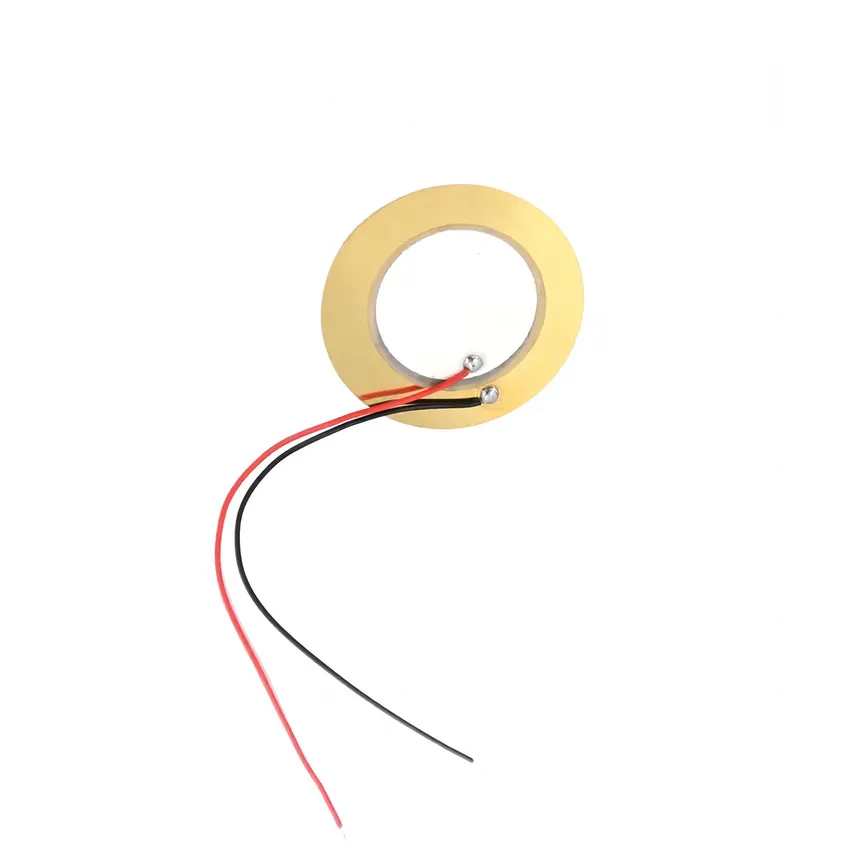
How It Works
Piezo transducers rely on special materials (typically piezoelectric ceramics like lead zirconate titanate [PZT], quartz, or certain polymers) that exhibit two primary properties:
Direct Effect (Sensors): When the material is themechanically communicationstressed, between twodeformed, or morecompressed, computersit withgenerates binaryan data.electrical charge across its surfaces. This makes them ideal for measuring rapid changes in pressure or vibration.
InInverse thisEffect tutorial,(Actuators/Sound weEmitters): willWhen usean serialelectrical communicationvoltage protocolis toapplied send data to Processing from Arduino. The Processing sketch will be controlled byacross the material, it rapidly expands or contracts, creating physical component,motion theor potentiometer,sound whichwaves can(commonly beused replacedin withbuzzers, other sensors, buttonsspeakers, and etc.ultrasound equipment).
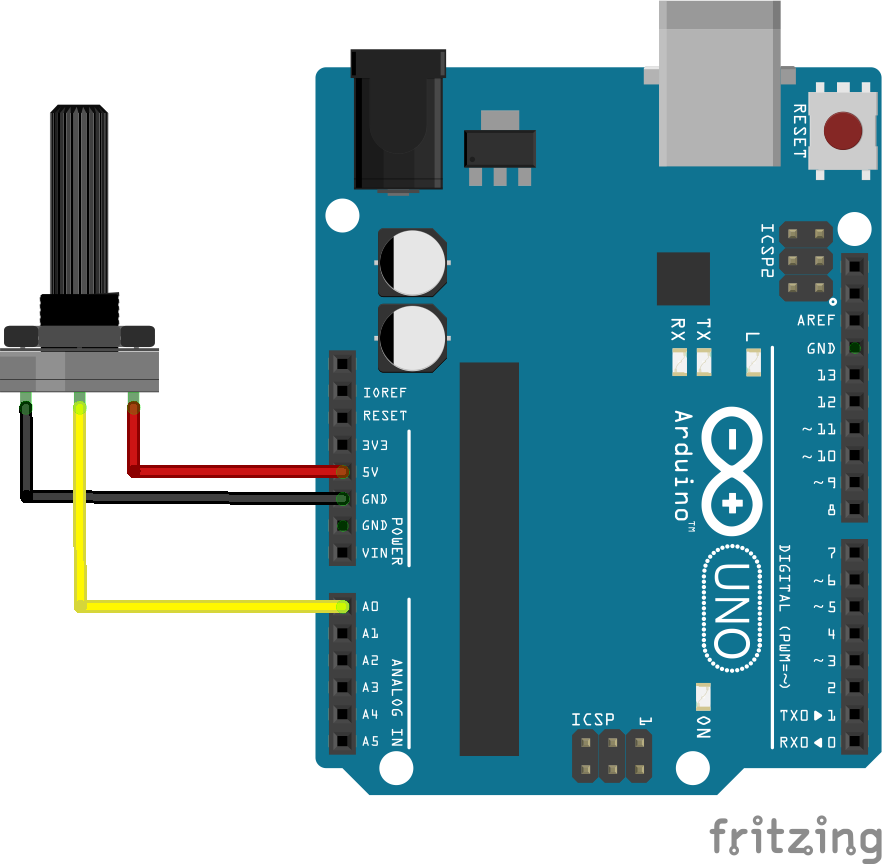
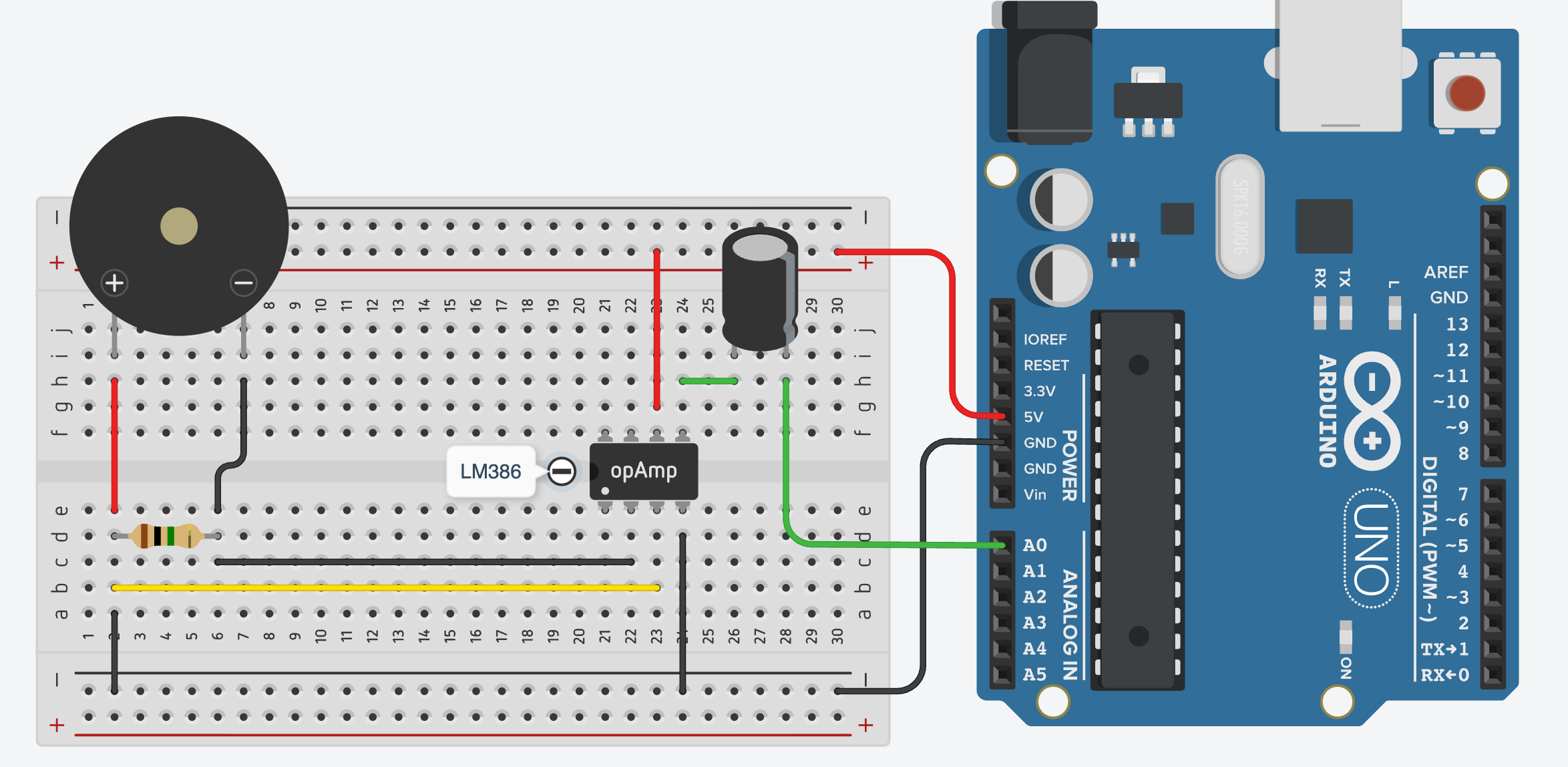
Wiring
LeftPiezopin+ and Piezo - connected with 1M ohm resistor- Piezo + to
5VLM386 pin3 (IN+) RightPiezopin+ to GNDmiddlePiezopin- to LM386 pin2 (IN-)- LM386 pin4 to GND
- LM386 pin5 (Vout) via 10uF capacitor to A0
- LM386 pin6 (Vs) to 5V
Arduino Code
This example sends the potentiometervibration value measured from Arduino to Processing via the serial port, you can read the data from the serial monitor.
#define potPin A0const int value;piezoPin = A0;

const int samples = 100;
const int noiseThreshold = 5;  // Adjust after observing readings

int restingValue;

void setup() {
Serial.begin(9600)115200);
delay(1000);

//intailise SerialMeasure communicationthe withresting 9600voltage baudwhile ratethe pinMode(sensor potPin,is INPUTstill
long total = 0;

for (int i = 0; i < 500; i++) {
total += analogRead(piezoPin);
delay(2);
}

restingValue = total / 500;

Serial.print("Resting value: ");
Serial.println(restingValue);
}

void loop() {
valuelong totalDeviation = 0;

for (int i = 0; i < samples; i++) {
int reading = analogRead(piezoPin);
potPin)totalDeviation += abs(reading - restingValue);
delayMicroseconds(500);
}

int vibration = totalDeviation / samples;

// Ignore small fluctuations
if (vibration < noiseThreshold) {
vibration = 0;
}

Serial.println(value)vibration);
//read the sensor and send the value to the Serial
  delay(100)10); //little delay to prevent Arduino going crazy
}
Processing Code
This example used the data received from Arduino to control the degreessin of rotation of a rectanglewave in Processing. You may need to fine tune the lowest and highest values.
import processing.serial.*;
import processing.sound.*;

Serial myPort;
String val;

int datanum = 0; //number of data receiving from Arduino
int value1;

//SinOsc[] sineWaves;
int value2;lowest = 30;
int highest = 100;

//multiple dataThe fromnumber arduinoof ifoscillators
neededint numSines = 5;

// A float for calculating the amplitudes
float[] sineVolume;

void setup() {
  size(800, 800);

  printArray(Serial.list()); //show all ports
  String portName = Serial.list()[0]3];//choose the correct port
  myPort = new Serial(this, portName, 9600)115200);
  myPort.bufferUntil('\n');

  sineWaves = new SinOsc[numSines];
  sineVolume = new float[numSines];

    for (int i = 0; i < numSines; i++) {

    // The overall amplitude shouldn't exceed 1.0 which is prevented by 1.0/numSines.
    // The ascending waves will get lower in volume the higher the frequency.
    sineVolume[i] = (1.0 / numSines) / (i + 1);

    // Create the Sine Oscillators and start them
    sineWaves[i] = new SinOsc(this);
    sineWaves[i].play();
  }
}

void draw() {

    //map() isConvert avibration important functionstrength to usesound here,
  //it convert the raw data range from Arduino to the ideal range to use in Processing
  //map(a, b, c, d, e) has 5 Parameters
  //map(theVariableYouWantToMap, min.ValueOfRawData, max.ValueOfRawData, min.ValueOfIdealRange, max.ValueOfIdealRange)

  //in this case the min. value from the pot is 0 and max. value is 1023.
  //and I want to map the background colour from black to white, 0(black) - 255(white)frequency
    float BWfrequency = map(value1,0, 1023,lowest, 0,highest, 255100, )1000);
    frequency = constrain(frequency, 100, 1000);

    //create aConvert variablevibration strength to containsound thevolume
    convertedfloat valuevolume background(BW)= map(value1, lowest, highest, 0, 0.5);
    volume = constrain(volume, 0, 0.5);

    for (int i = 0; i < numSines; i++) {
    sineWaves[i].freq(frequency * (i + 1));
    sineWaves[i].amp(volume * sineVolume[i]);
    }
}


void serialEvent( Serial myPort){
  val = myPort.readStringUntil('\n');
  if (val != null)
  {
    val = trim(val);
    int[] vals = int(splitTokens(val, ","));

    if(vals.length >= datanum){
       value1 = vals[0];

      //multiple data from arduino if needed
      //value2 = vals[1] ;

      print(println(value1);
    }
  }
}