
How to use DFPlayer mini to play MP3 without Arduino
What is a DFPlayer?
The DFPlayer Mini MP3 Player For Arduino is a small and low-priced MP3 module with a simplified output directly to the speaker. The module can be used as a stand-alone module with an attached battery, speaker and push buttons or used in combination with an Arduino UNO or any other with RX/TX capabilities. Know More
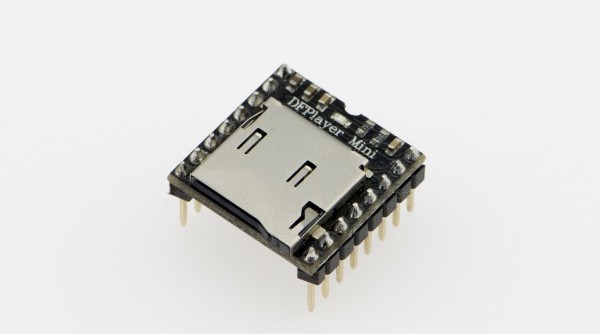
This tutorial shows how to use the module without a microcontroller and looping one single song. We have another tutorial showing how to use this module with Arduino.
File handling
The mp3 file needs to be placed in a folder named mp3, and the file needs to be named as 0001.mp3.
MAC User Attention!
If you are using Mac OS X to copy the mp3, the file system will automatically add hidden files like: "._0001.mp3" for index, which this module will handle as valid mp3 files.
It is really annoying. To remove them, follow the steps below:
- Finder - Go to your USB drive
- Press
Shift+Command+.to reveal all hidden files - Select all
.XXXXXXfiles and directories and delete - Empty Bin
- Eject your USB drive
Wiring
Wiring up the sensor is quite complex, the pins are not labelled, so you will have to refer to the pinout.
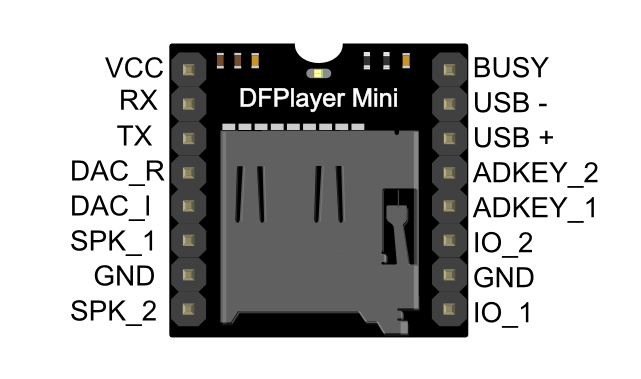
DFplayer Mini Wiring
- VCC to Battery + (Power)
- GND to Battery - (Power)
- SPK_1 to Speaker(+) red wire
- SPK_2 to Speaker(-) black wire
- ADKEY_1 to GND
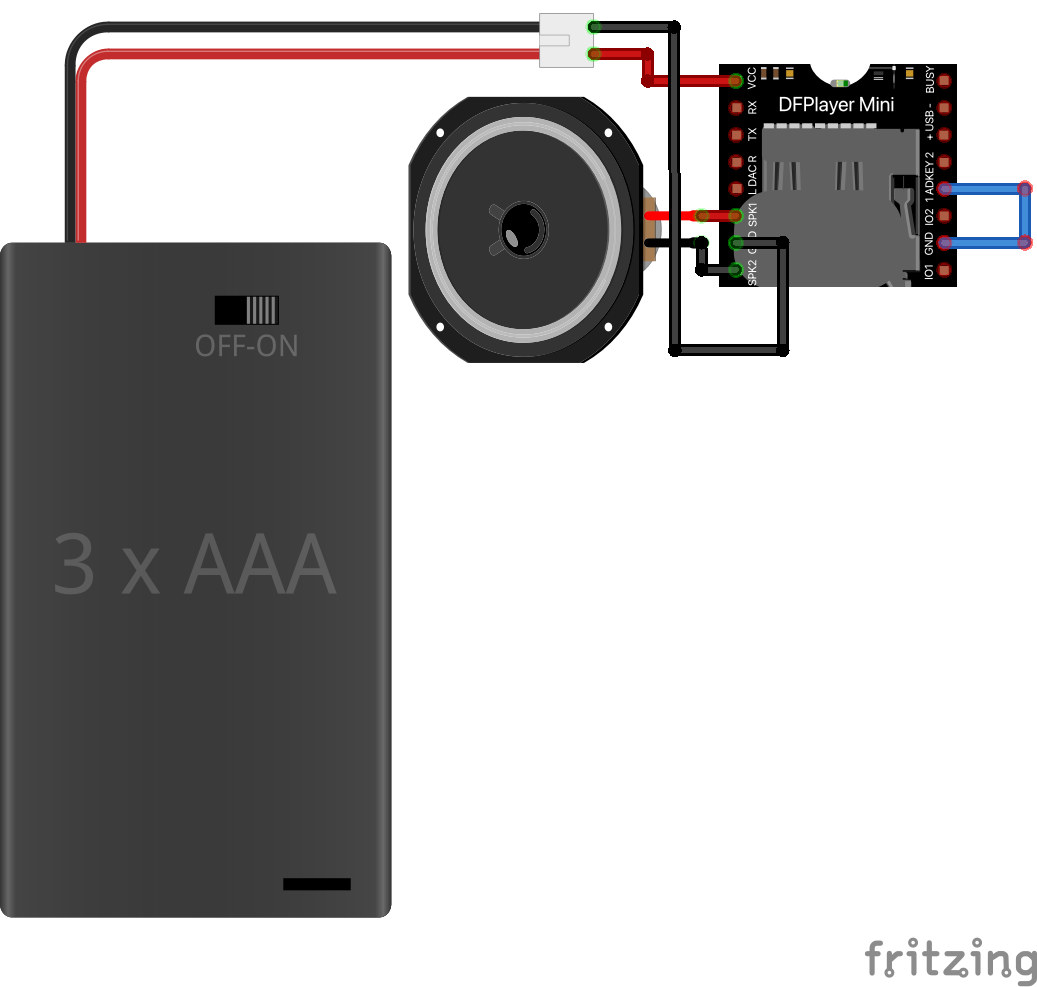
All done!