
How to use IR Breakbeam Sensor
What is aan DFPlayerIR Pro?Breakbeam Sensor?
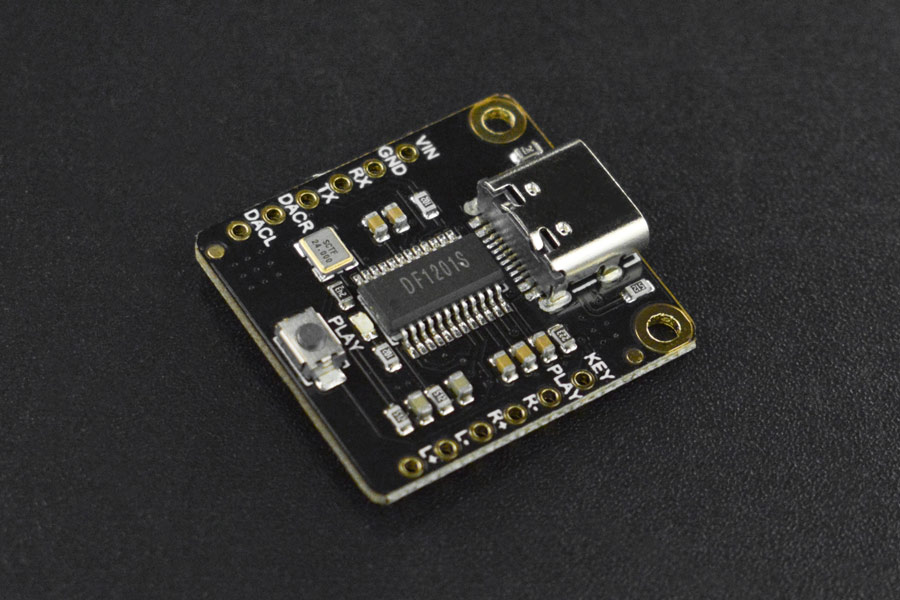
TheAn DFPlayerIR Probreakbeam is an upgrade of the DFPlayer Mini MP3 Player for Arduino. Itsensor is a smallpair of devices—an infrared (IR) emitter and low-pricedan MP3IR modulereceiver—that withform an internalinvisible storagebeam. ofWhen 128MB.something Thepasses modulethrough canand beblocks usedthe asbeam, athe stand-alonesensor moduledetects withthe interruption and triggers an attachedoutput battery, speaker and push buttons or used in combination with an Arduino UNO or any other with RX/TX capabilities.signal. Know More
This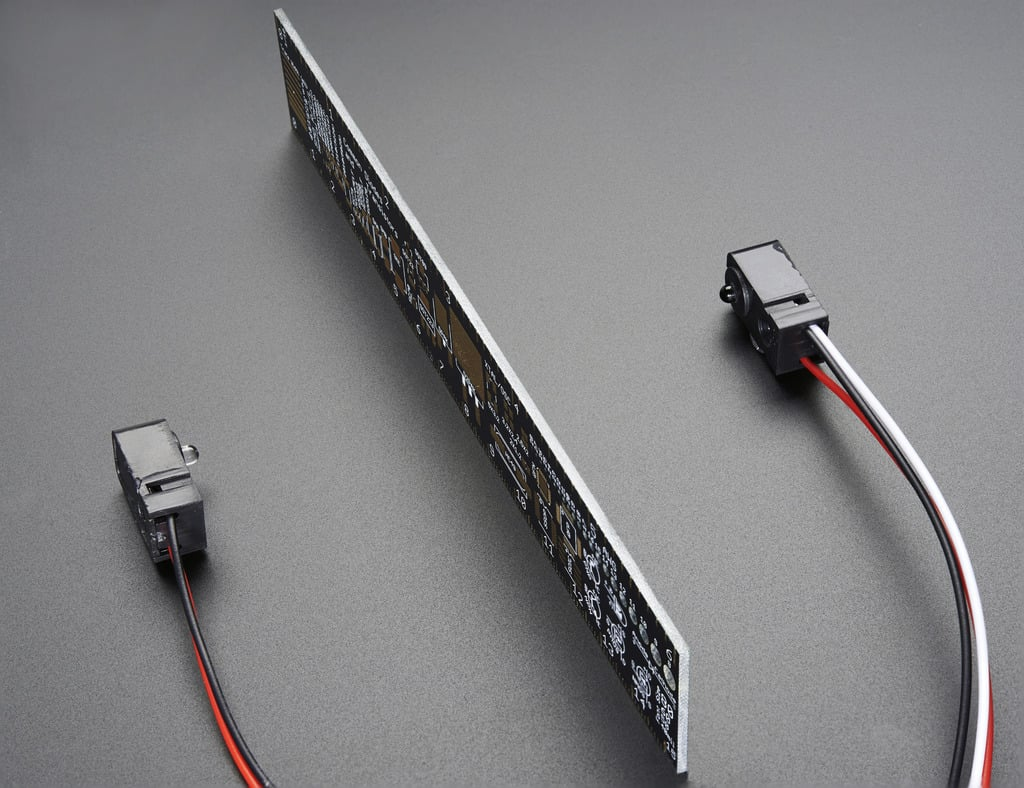
Comparing IR Breakbeam Sensor and PIR Sensor for motion detection
| Feature | IR Breakbeam Sensor | PIR Sensor | Which is |
|---|---|---|---|
| Detection principle | Infrared emitter + receiver; detects beam interruption. | Passive infrared; detects changes in long-wave IR (heat) in its field. | Neutral (different principles) |
| Sensitivity to heat sources | Unaffected by ambient heat or body temperature. | Relies on
|
IR Breakbeam |
| Detects cold/heatless objects | Yes — any object that blocks the beam will trigger it. | No — may miss objects with little thermal contrast. | IR Breakbeam |
| Precision / position | Very precise (exact line or plane of detection). | Less precise — detects motion in a broad PIR zone. | IR Breakbeam |
| Response time | Fast / near-instant when beam is interrupted. | Fast for motion but may have slight processing delay. | IR Breakbeam |
| False triggers (small motion / light) | Low — only triggered if beam is physically blocked. | Higher — small animal movement, drafts, or rapid temperature shifts can trigger it. | IR Breakbeam |
| Line-of-sight requirement | Requires clear path between emitter and receiver. | No strict line-of-sight — detects across a field of view. | PIR (for flexibility) |
| Coverage area | Single line/plane — narrow coverage unless multiple beams used. | Wide area coverage with a single sensor. | PIR |
| Power consumption | Typically low to moderate (emitter active). | Typically very low (passive sensor). | PIR |
| Cost & complexity | Generally simple and inexpensive; requires alignment for paired units. | Also inexpensive; easier single-unit installation. | Depends on use (neutral) |
| Best use cases | Object counting, door/threshold detection, conveyor interrupts, tamper lines. | Occupancy detection, motion-triggered lighting, intruder alarms over an area. | Use-case dependent |
Wiring
Wiring
Receiver up(3 the sensor is less complex than the previous version with the labelled pins.
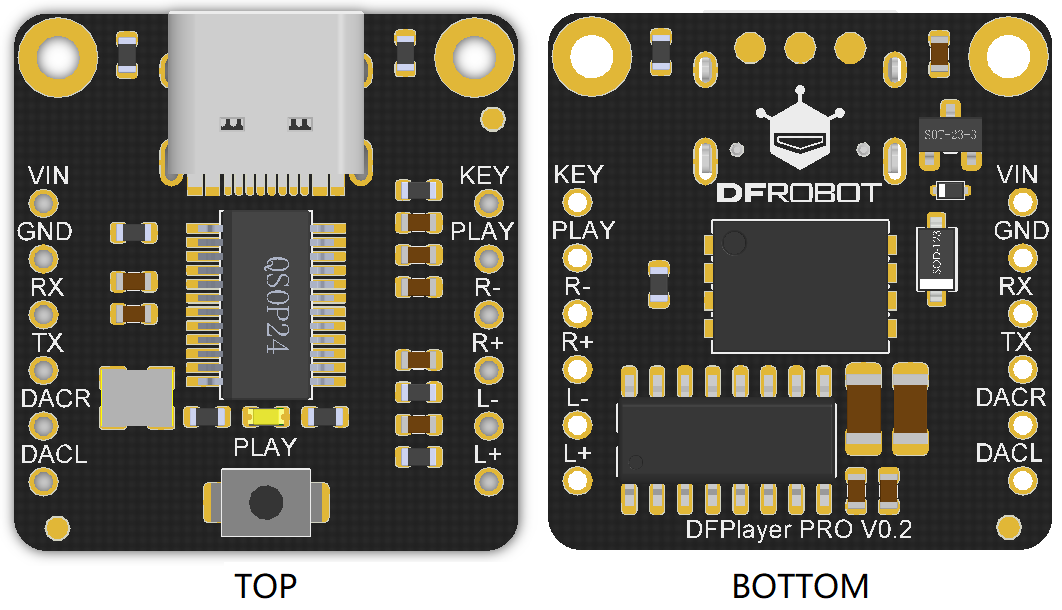
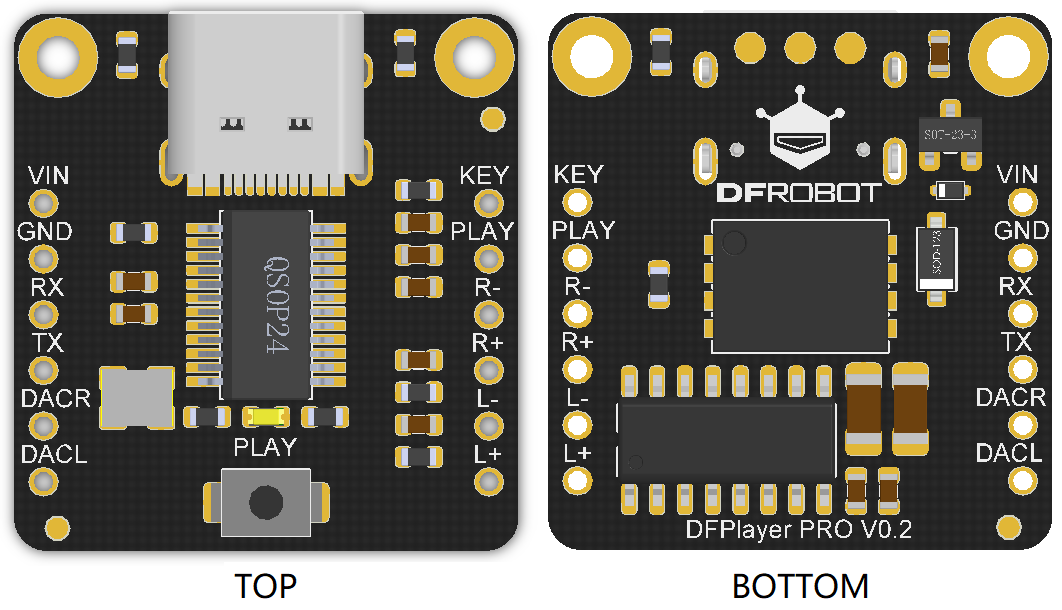
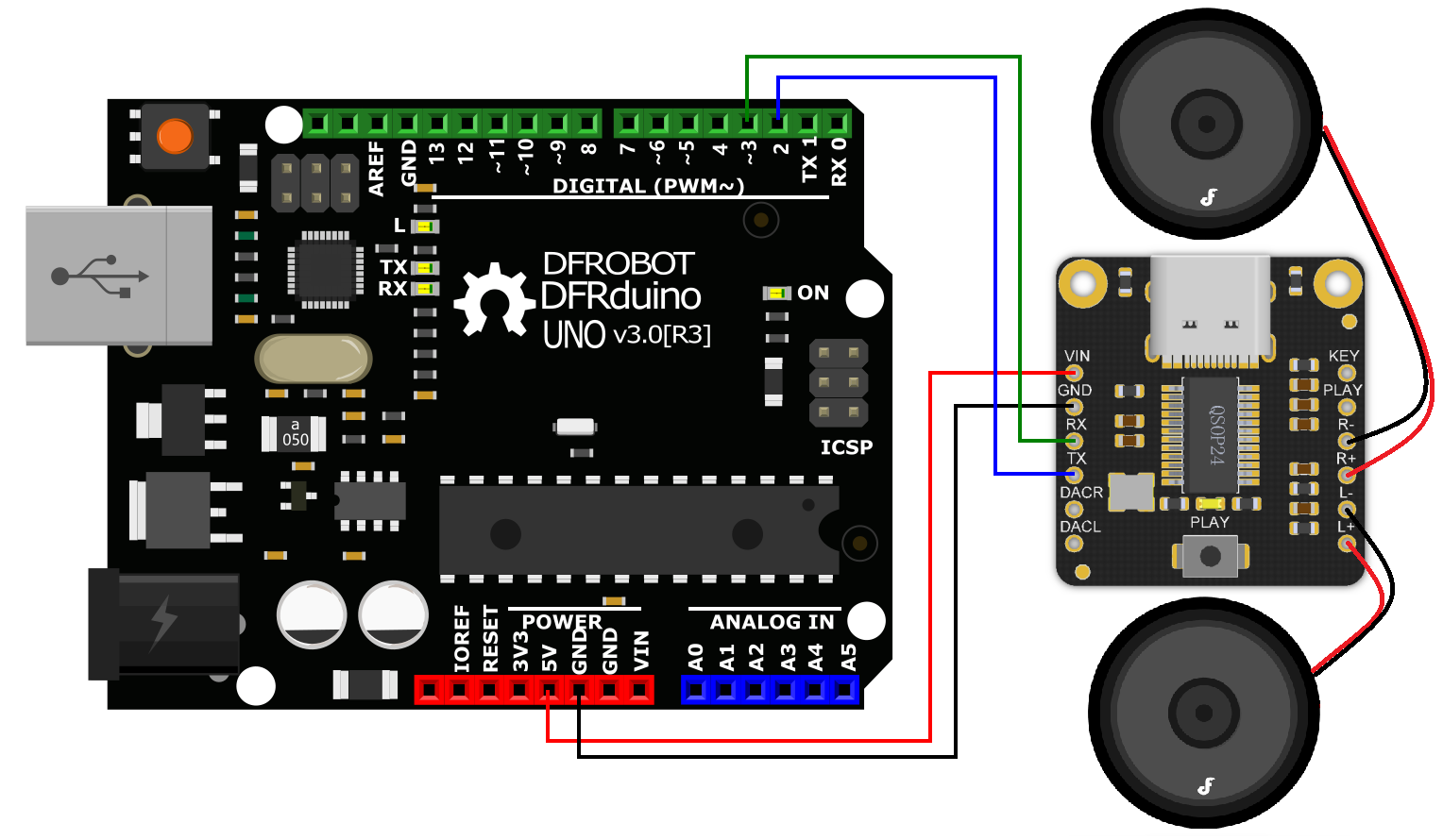
VINRed to 5V(Power)GNDBlack to GND(Ground)RXWhite toD2pin TX to D3R+ to Speaker(+)red wireR- to Speaker(-)black wireConnect L+ & L- if you want stereo audio4
FileRransmitter handling
(2 wires)
YouRedcantodownload ourexample-sounds.zip.5VConnect the moduleBlack toa computer with a USBC cable.Create a folder calledmp3.Place the mp3 files into that folder.GND
Library
DFRobot_DF1201S library will be used for this module. We have a tutorial on how to install a library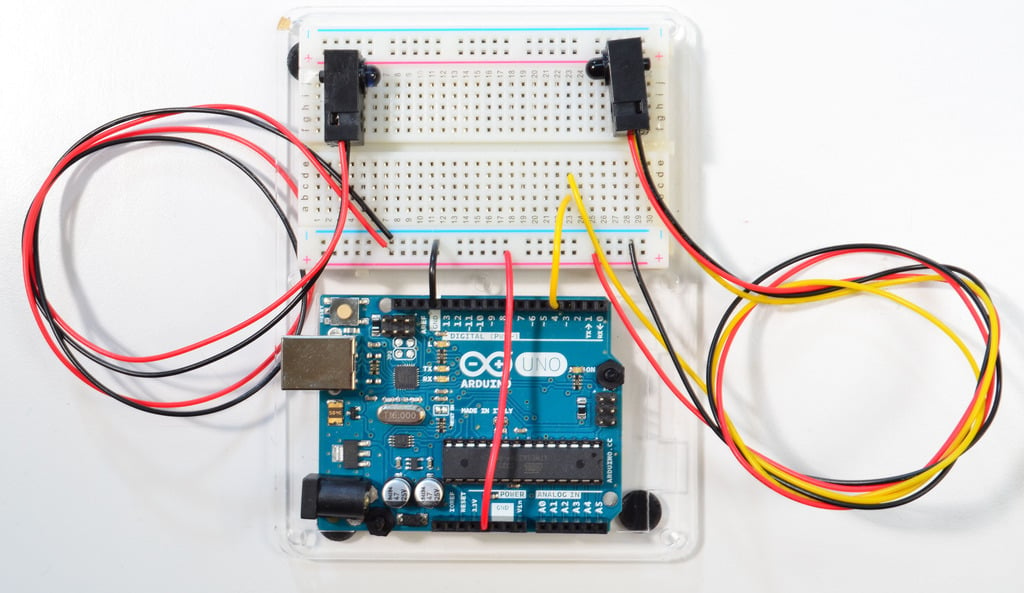
here.
Get Started
#include#define <DFRobot_DF1201S.h>LEDPIN #include13
"SoftwareSerial.h"#define SoftwareSerialSENSORPIN DF1201SSerial(2,4

3)int sensorState = 0;
int lastState = 0;

void setup() {

  pinMode(LEDPIN, OUTPUT);
  pinMode(SENSORPIN, INPUT);
  digitalWrite(SENSORPIN, HIGH); //RX TXturn DFRobot_DF1201Son player;the void setup(void){pullup

  Serial.begin(115200);
  DF1201SSerial.begin(115200);

  while (!player.begin(DF1201SSerial)) {
    Serial.println("Init failed, please check the wire connection!");
    delay(1000);
  }

  player.setVol(0);
  player.switchFunction(player.MUSIC);
  delay(2000);
  /*
    SINGLECYCLE = 1,  /**<Repeat one song
    ALLCYCLE,         /**<Repeat all
    SINGLE,           /**<Play one song only
    RANDOM,           /**<Random
    FOLDER,           /**<Repeat all songs in folder
  */
  player.setPlayMode(player.SINGLE);
  player.setVol(20)9600);
}

void loop(){

  if(!player.isPlaying())sensorState = digitalRead(SENSORPIN);  // read the state of the pushbutton value:

  if (sensorState == LOW) {     // check if playerthe sensor beam is notbroken
    playingdigitalWrite(LEDPIN, player.playSpecFile(HIGH);
  }
  else {
    digitalWrite(LEDPIN, LOW);
  }

  if (sensorState && !lastState) {
    Serial.println("/mp3/001.mp3"Unbroken");
  //play}
  001.mp3if in(!sensorState folder&& lastState) {
    Serial.println("mp3"Broken");
  String}

  fileNamelastState = player.getFileName();
    Serial.print("playing: ");
    Serial.println(fileName);

  }sensorState;
}