POPs: Point Cloud from 3D model
Part One: Creating a Point Cloud from a 3D Model in TouchDesigner
This tutorial covers the very basics of generating a point cloud effect from a 3D model in TouchdesignerTouchDesigner using particle systems infrom the new POPs family.
Just like in SOPs, POPs featuresinclude a File In POP, which allows you to import 3D assets in the most popularcommon formats such as (.. obj),objpleaseKeep bein awaremind that you won'won’t be able to directly edit the modelgeometry ininside TouchdesignerTouchDesigner, so any major changesadjustments and(such resizingas scaling or mesh edits) should be downdone beforebeforehand in appropriateexternal softwaressoftware such aslike Blender.
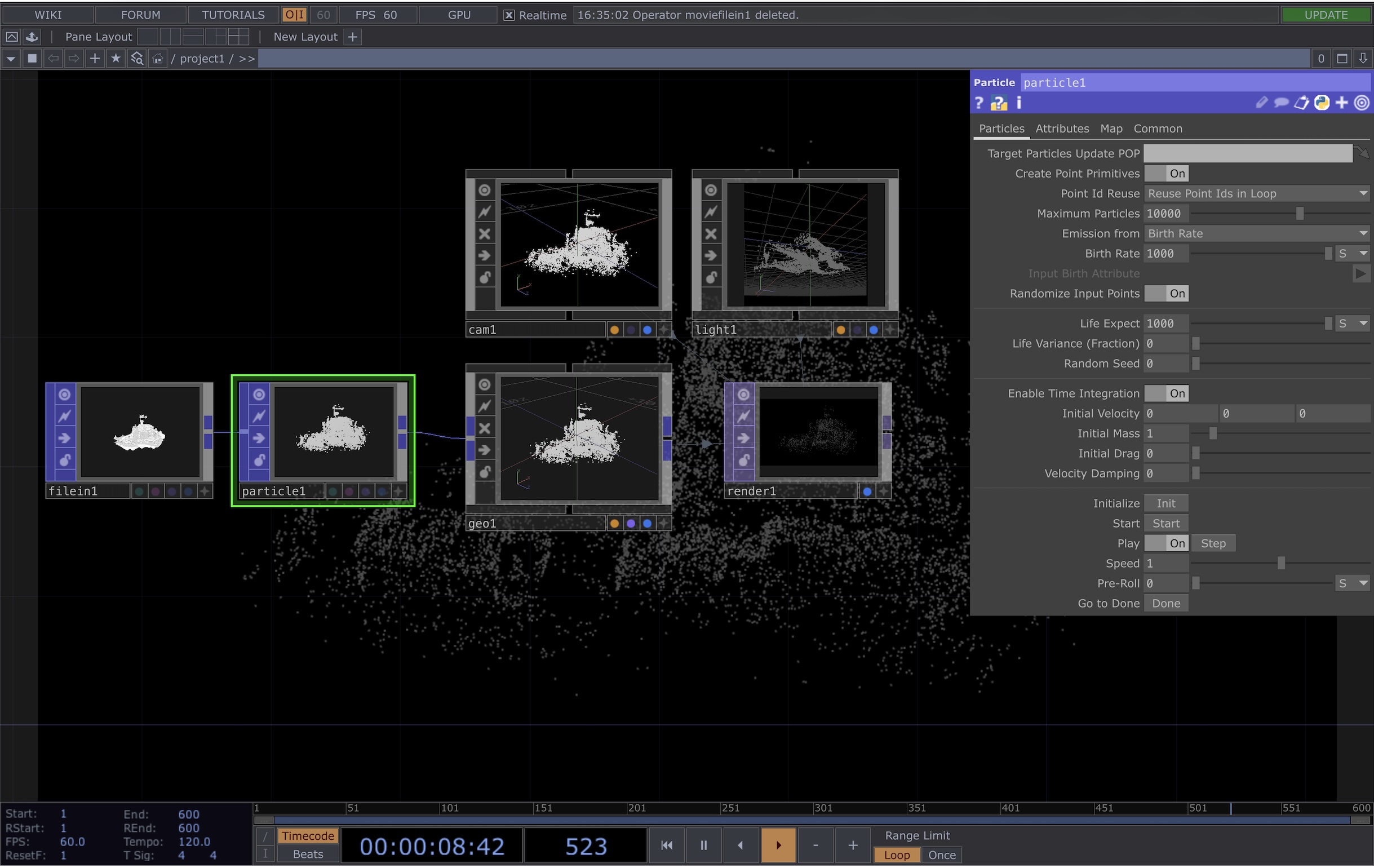
From hereNext, add a Particle POP,POP. aIn listits parameter window, you’ll find several controls that affect the behavior of optionsyour willparticle besystem. availableFor example:
- Max Particles controls the overall density of the point cloud
- Birth Rate determines how many particles are generated
- Life Expectancy controls how long each particle exists
You can explore these parameters further in the Parameters'official window - you can change the maximum particles amount if you want a denser effect, increase or decrease the birth rate and life expect to control how long 1 single particle exists for, etc., more details are available here: documentation:
https://derivative.ca/UserGuide/Particle_POP .
At this point, we just need toTo render ouryour point cloud as a 2D visual,image, so just like for SOPs, we connectfollow a similar workflow to SOPs:
- Connect your POP network to a Geo COMP
- Add a Camera COMP and a Light COMP
- Create a Render TOP
In the Render TOP and in the parameters window for it,parameters, set the Alpha value of the Background ColourColor Alpha to 1 if you want a solid black background.
At
thisThesestage, areyou allshould the basics to gettinghave a basic point cloud effectgenerated outfrom of ayour 3D model,model. however should you wish toTo further animate youror pointmanipulate cloud,the effect, you can lookexperiment intowith additional POP operators such as:
- Noise
POPs,POP (for organic motion) - Transform
POPs,POPetc.(for positioning andbeanimation)
POPs behave very similarly to SOPs, so ifmany youtechniques find an online tutorial for an effectused in SOPsSOP-based inworkflows can probably be replicatedadapted into POPs too. POPs.
Finally